 Exhibit
How do I export my entire iMessage history?
Your Mac holds only what Messages synced to it, so first check how far back a thread goes. If it is complete, open Exhibit, set the Range to all dates and click Create Exhibit. If older messages are missing, let Exhibit make a local iPhone backup, which holds what the phone still has. Exhibit exports one conversation at a time as a PDF, and you can repeat it for each person.
Updated November 17, 2026 · Not legal advice
How far back do my messages go?
Open Messages on your Mac, pick the conversation and scroll to the top. The oldest message you can reach is the oldest one the Mac has. Two settings can cut that short: Keep Messages, which can be set to 30 days or one year instead of Forever, and iCloud, which can offload older history. Messages that were trimmed are not in the Mac's database.
How do I export a whole conversation?
- Open Exhibit. The first time, follow the Full Disk Access walkthrough so it can read Messages on this Mac.
- Pick the conversation from the list, or search for the person under the menu bar icon.
- Set the Range from the first message to the last, for example Jun 12, 2019 to Nov 17, 2026.
- Use Show to include attachments, edits and read times if you want them.
- Click Create Exhibit and read the PDF tab. Exhibit is tested on threads of more than 10,000 messages, so large conversations work, but the PDF can run to hundreds of pages.
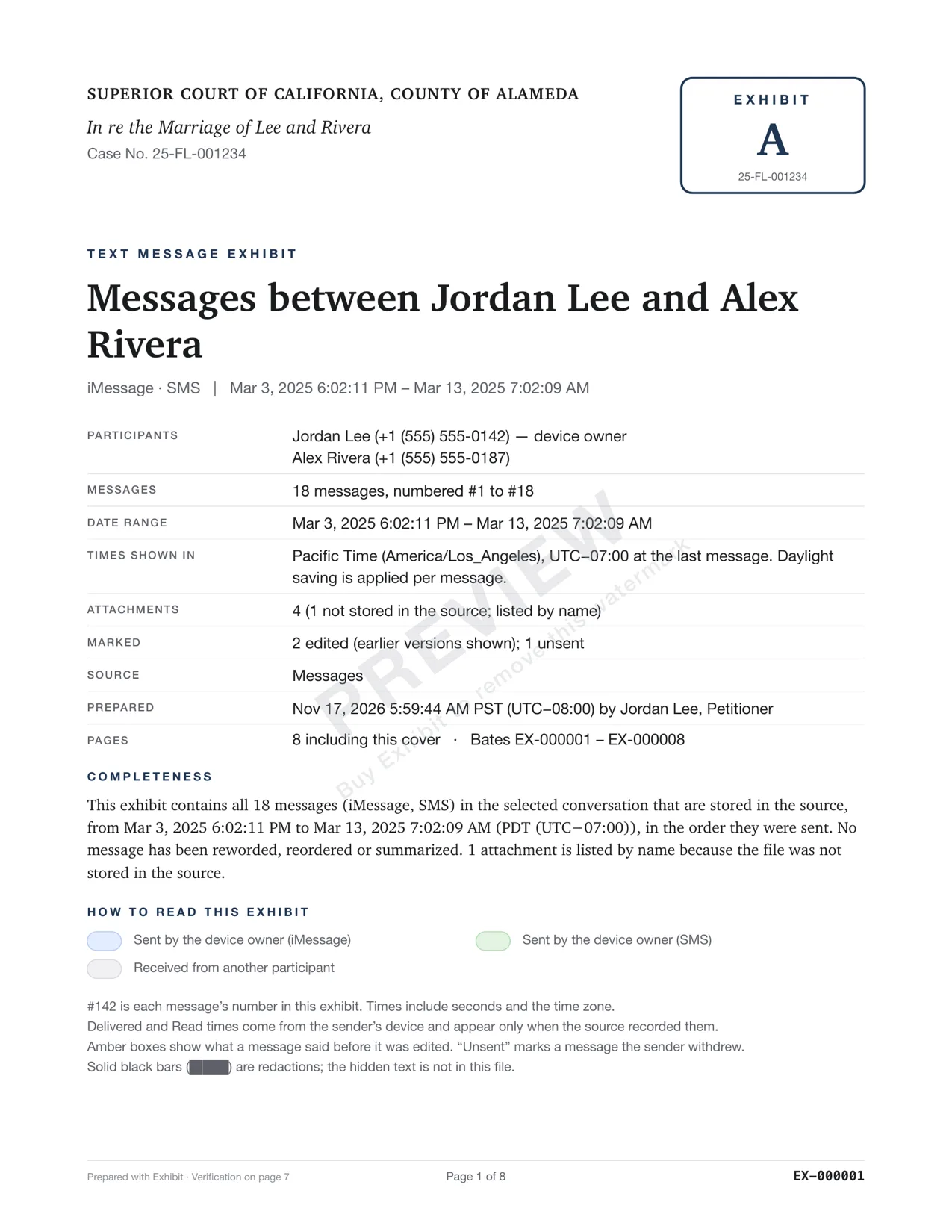
- Enter your license key in Settings → License to remove the preview watermark.
What if older messages are missing?
Plug in your iPhone and let Exhibit make a local backup, or open a backup you already have. A backup holds the history the iPhone itself still has, which can reach back further than the Mac. If the backup is encrypted, Exhibit asks for its password. Pick the conversation from the backup and create the exhibit as usual. Nothing in this route uploads your data.
How long does a large export take?
Exhibit is tested on conversations of more than 10,000 messages. Time depends on how many attachments the thread holds, and on your Mac. Run the free preview first, so you can see the page count and the time before you commit. If a long thread produces a very long PDF, narrow the Range to the period your case is about.
A long PDF is still useful as your own record. A judge usually wants a shorter one, so consider making a second, filtered exhibit for filing.
Nothing can recover messages that were deleted from every copy. If a thread matters, stop deleting, and turn Keep Messages to Forever now, so history is not trimmed while you wait. Courts differ on what they ask you to preserve, so ask a lawyer.
How do I export many conversations?
Exhibit makes one PDF for each exhibit you create, built from the conversation or the merged conversations you choose. For a whole history across several people, create one exhibit per person, or ask a lawyer which conversations matter. A bundle of every thread is rarely useful in court. See organizing co-parenting texts for narrowing down.
What about the free preview?
The free preview works on any conversation and shows the whole exhibit with a PREVIEW watermark. Run it first to see the page count and check that the oldest message is there. Then see pricing if you want to remove the watermark.
What do I keep after exporting?
Keep the PDF, the lawyer package and the original conversation. The package has the PDF, a spreadsheet, original attachments and a hash manifest. For printing and citing, see printing text messages for court and exporting iMessages to PDF.
Questions
Can I export Messages from my iPhone without a Mac?
Not with Exhibit, which runs on macOS 14 or later. Borrow a Mac, plug in your iPhone and let Exhibit make a local backup there.
Does Exhibit change or delete my messages?
No. It reads a copy and writes nothing back to Messages or your iPhone.