 Exhibit
How do I print text messages for court from my iPhone?
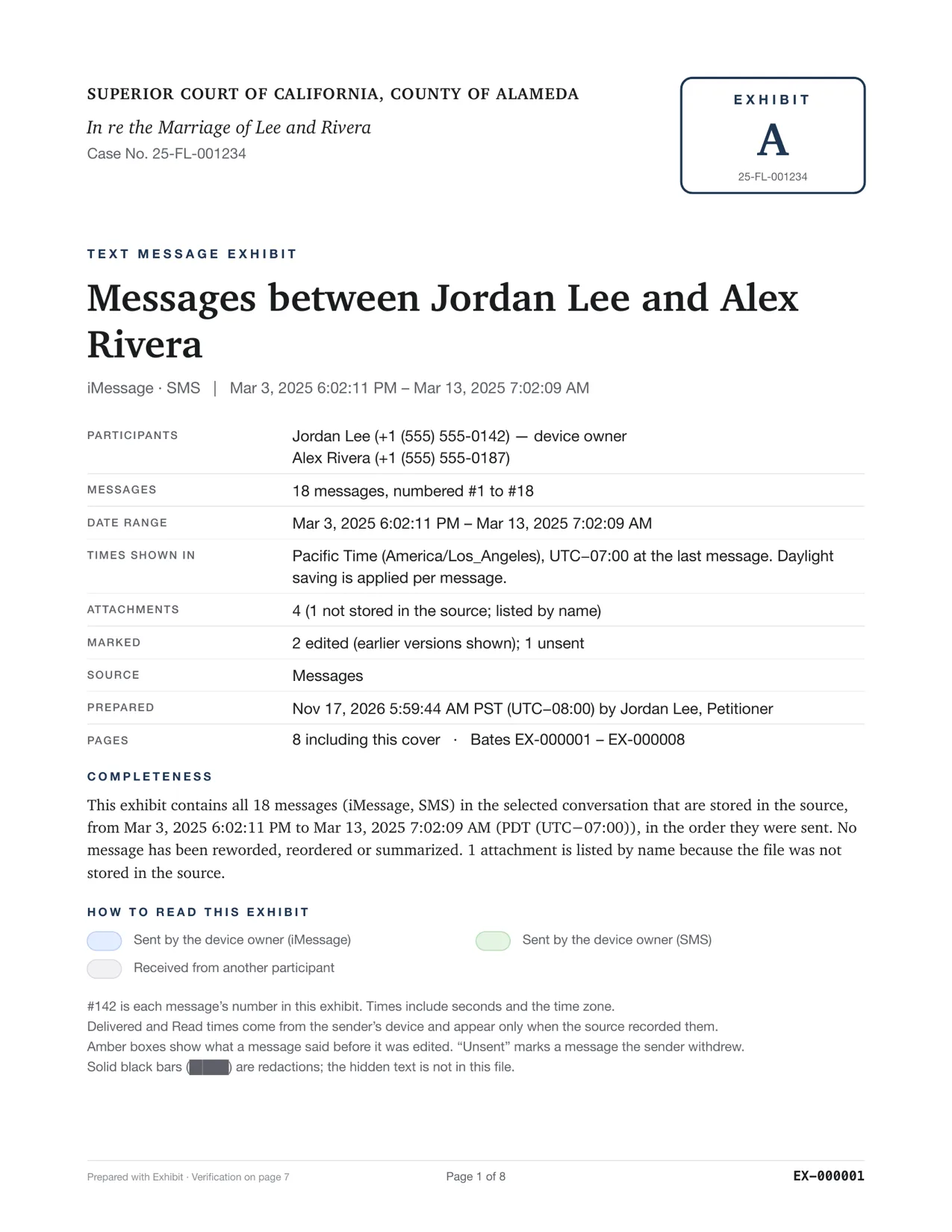
If you also own a Mac, the most accurate route is to export the conversation there, with no screenshots. Let Messages sync to the Mac, or have Exhibit make a local backup of the iPhone, then create one PDF with exact times. Without a Mac, you can screenshot the thread or use an iPhone app, but you must check that every message, time and attachment made it in.
Updated November 17, 2026 · Not legal advice
What are my options?
There are four common ways to get texts from an iPhone onto paper. Each trades effort against detail. The right one depends on what your judge or the other side will accept, so check local rules first.
- Screenshots. Free and quick. Long threads need many images, and the time stamp appears only now and then, not on every message.
- An iPhone app that exports to PDF. Some are subscriptions. Check how they read your messages and whether they charge before or after you finish the work.
- Print from a Mac. If your messages sync to a Mac, Messages on the Mac can print what it has loaded on screen. Long threads may print only part. See why Print to PDF in Messages is not enough.
- Exhibit on a Mac. Reads the Messages database, or a backup of your iPhone, and builds one PDF. No screenshots.
How do I use my iPhone with a Mac?
- On the iPhone, check Settings → your name → iCloud → Messages is on, so the thread syncs to your Mac. It can take time for a long history to arrive.
- On the Mac, open Messages and scroll to confirm the old messages are there.
- Open Exhibit, pick the conversation and set a Range, for example Jan 1 to Mar 31, 2025.
- Click Create Exhibit and read the PDF tab.
- If older messages are missing, plug in the iPhone and let Exhibit make a local backup. Exhibit then reads the backup.
What do screenshots leave out?
A screenshot shows one screen. It does not show the date of every message, only a heading when the day changes or a few minutes pass. It does not show edit history, read times or the sender's number. It also cannot prove that nothing was cropped or left out between two images. If you must use screenshots, capture the top of the thread, scroll in overlapping steps, include the contact's name or number, and keep the original images.
Does the iPhone keep everything the Mac needs?
Only if it was synced. A Mac only has what Messages synced to it. If Keep Messages was set to 30 days or a year, or iCloud trimmed older history, it is not on the Mac. The local backup route covers that, because it copies what the iPhone still holds.
How do I check the PDF before I file it?
Read it against the phone. Check the first and the last message, and three or four in the middle. Look at the dates, the sender and any photo. Count the messages in one busy day on the phone and in the PDF. If the numbers do not match, find out why before you file. A short check now is easier than explaining a gap to a judge later.
Keep the original conversation, whichever route you use. If the other side questions the printout, you can show the source. Do not delete the thread or the backup until the case is over.
Not legal advice. Courts and states differ on what they accept and on whether a printout needs a witness or a certification. Ask the court clerk, your court's self-help center or a lawyer before you file.
What should I do next?
Decide which messages matter, then export only those dates so the judge is not buried. Our guide on organizing co-parenting texts shows how to pick a Range and a key-messages page. Run the free preview at download before you buy.
Questions
Can I print texts straight from my iPhone?
The iPhone has no built-in print option for a whole conversation. People use screenshots, a share-sheet app, or a computer. Apple does not offer a single button for a numbered, time-stamped printout.
Do I need the other person's phone?
No. Your own phone or Mac holds your side of the conversation and what you received. You do not need their device.