 Exhibit
How do I organize co-parenting texts for a custody case?
Start with a narrow question, such as missed pickups in 2025, then export only that Range as one numbered PDF. In Exhibit, use the key-messages page to point the judge to the few texts that matter, and redact what the court does not need, such as a child's name. Keep the full original conversation on your Mac in case the other side or the judge asks for it.
Updated November 17, 2026 · Not legal advice
What should I decide before I export anything?
Write down what you want the judge to see. For example: Alex Rivera agreed to the Friday 6:00 PM pickup, then missed three of them between Jan 1, 2025 and Mar 31, 2025. A clear question keeps the exhibit short. A judge who reads 40 pages is more likely to find your point than one who reads 900.
Then decide which conversations hold the answer. Co-parents often use iMessage for daily plans, SMS when one phone is old, and WhatsApp for travel. Exhibit can put those into one timeline so the judge reads a single story.
How do I build the exhibit?
- Open Exhibit and pick the conversation with Alex Rivera. You can find it in the list or under the menu bar icon, which has search.
- Set a Range, for example Jan 1, 2025 to Mar 31, 2025. If you need context, widen it by a week on each side.
- In the inspector, use Show to choose what appears. Turn on delivered and read times if they matter, and attachments if a photo or a schedule is part of your point.
- Add a keyword filter if the thread is long, such as pickup or Friday. The PDF carries a completeness statement, so the reader knows what the export covers.
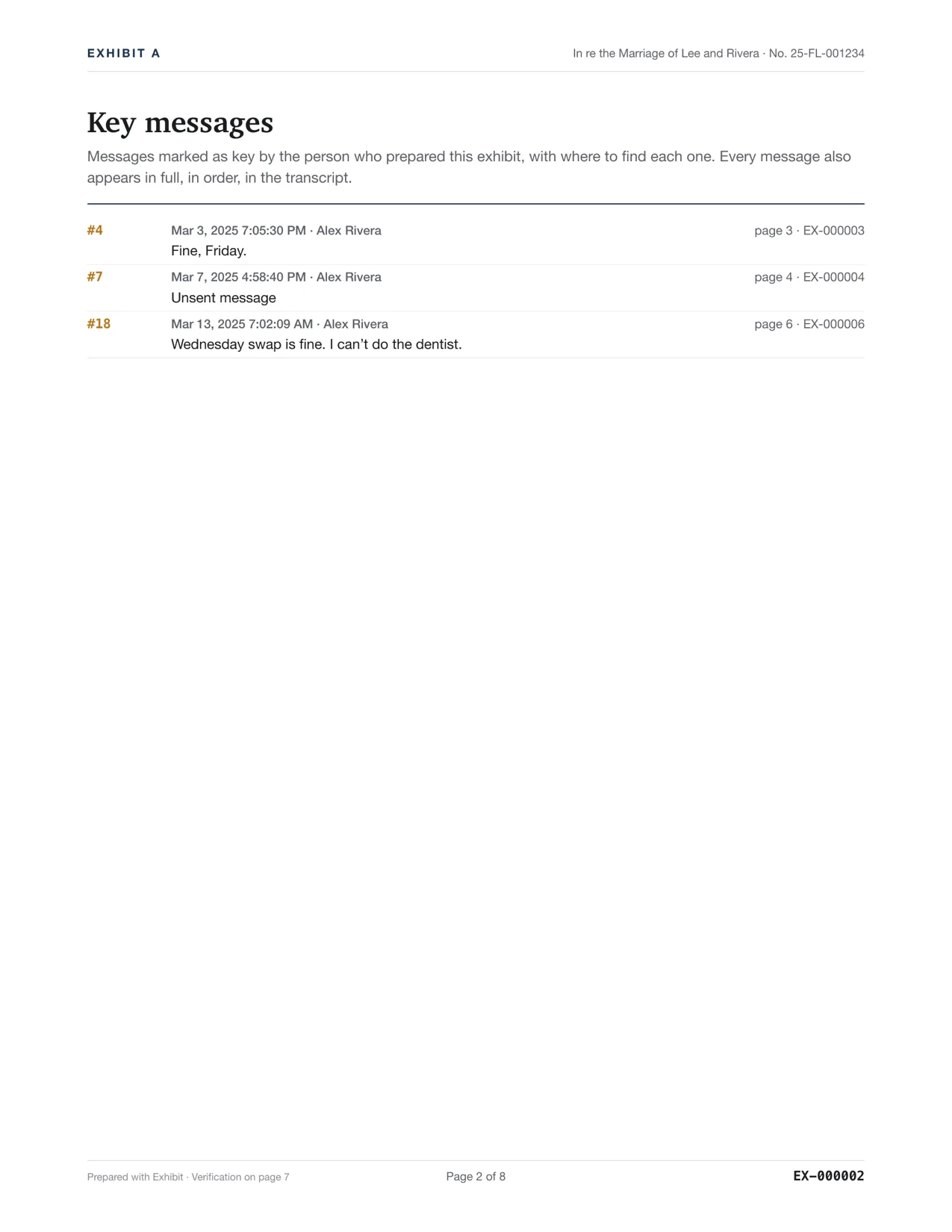
- Right-click each message you want to point out and choose Mark as Key Message. Then click Create Exhibit and read the PDF tab from start to end.
- Fix anything that looks wrong, then enter your license key in Settings → License to remove the preview watermark.
What goes on the key-messages page?
Choose the five to ten texts that carry your argument. A promise, a refusal, a change of plan, an admission. The page lists each one with its date and where to find it, so the judge can start there and check the rest in context. Do not mark every message. A short list is easier to trust.
How do I protect my child's privacy?
Use Redact in the inspector to black out a child's name, a school, a phone number or an address. The PDF shows black bars, and a page at the end lists what was redacted. Many courts require a minor's name to be shortened, and some want you to file a redacted copy. See how to redact text messages and ask the court clerk what your court requires.
Courts can order you to produce the whole conversation, not only the helpful parts. Do not delete messages, and do not leave out a text because it hurts you. A narrow Range is fine. A selective one can damage your credibility. Not legal advice; ask a lawyer or your court's self-help center.
How should I number and keep the exhibit?
Exhibit stamps each page with Page X of Y and can add Bates numbers, so you and the judge can say turn to page 14, message 212. See Bates numbering for text messages. Keep the PDF, the lawyer package and a backup of the original Messages data together. If the other side disputes a message, you can show the same conversation again.
What about messages the other parent unsent or edited?
If both phones ran current software, edits and unsent messages are recorded, and the PDF shows them. That matters when a promise was edited a minute after you replied. See proving that a text was edited. Read times can help when someone says they never saw a change.
Questions
Should I include every message from the last year?
Usually not. Include the period your question covers, plus enough context to make each message clear. If the other side thinks you left something out, the original data on your Mac can be exported again.
Can I include photos the other parent sent?
Yes. Attachments are placed inline where they were sent, and the lawyer package also saves the original files. If you redact a child's face or name, check the page before you file.
Does the other parent get to see what I export?
Only what you file or send. Exhibit makes the file on your Mac and does not share it. Courts may require you to give the other side what you file.