 Exhibit
 vs imessage-exporter: a court PDF without the command line
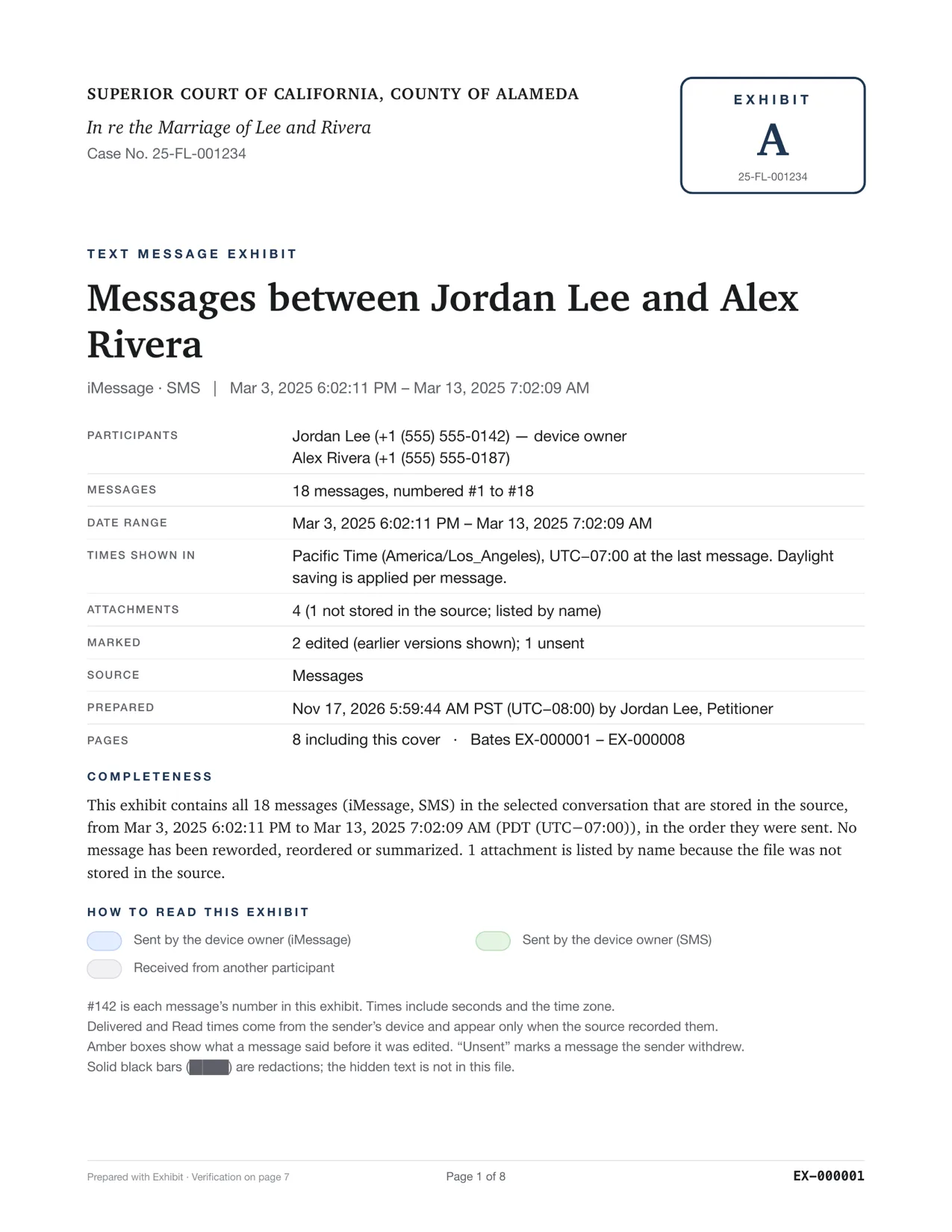
imessage-exporter is an excellent open-source command-line tool that exports iMessage to HTML or text files. It does not make a PDF and has no court features. Exhibit is a Mac app with no Terminal: pick a conversation and get one PDF with exact times, read receipts, edit history, Bates numbers and a SHA-256 verification page, for $19.99 once.
Updated November 17, 2026 · Not legal advice
How do they compare?
| Exhibit | imessage-exporter | |
|---|---|---|
| How you use it | A Mac app: pick a conversation, click Create Exhibit | Terminal commands |
| Output | One paginated PDF, plus CSV, attachments and hash manifest | HTML or TXT files |
| Edit history | Yes | Yes |
| Read receipts and unsent flags | Yes | Not listed |
| WhatsApp, Signal and more | Yes | No, iMessage and SMS |
| Bates numbers, caption cover, exhibit stamp | Yes | No |
| Redaction | Yes | No |
| Verification page | SHA-256 | No |
| Price | $19.99 once | Open source |
Exhibit for Mac turns the conversation into a PDF you can file: exact times, read receipts, edits, Bates numbers. $19.99 once, no subscription, 7-day refund.
Why not just use the free tool?
If you are comfortable in Terminal and want an archive for yourself, imessage-exporter is great, and its documentation is how many people learned what the Messages database holds. Court is different. You need one document a judge can page through, page numbers and Bates numbers to cite, the other person's phone number, a cover with the case caption, and a way to show the file was not edited after you made it. Turning HTML into that by hand takes hours, and every manual step is one the other side can question.
Questions
Is imessage-exporter safe?
It is open-source software that runs on your own computer. Like Exhibit, it needs Full Disk Access to read Messages.
Sources
Competitor details were checked on 2026-11-17 and can change. Tell us at the contact address if something here is out of date and we will fix it.