 Exhibit
How do I combine iMessage and WhatsApp messages into one timeline?
Open the iMessage conversation in Exhibit, then add the WhatsApp chat with the same person using right-click, Add to Current Exhibit, or the same-person suggestions in the inspector. Exhibit sorts everything by time into one transcript and labels each message with its source. A merged exhibit shows only what every source records, and its verification page lists what was and was not available.
Updated November 17, 2026 · Not legal advice
Why combine them?
People rarely use one app. Jordan Lee and Alex Rivera might trade plans in iMessage on Monday, switch to WhatsApp when Alex travels, and fall back to SMS when data fails. Read separately, the story has holes. Read in order, it makes sense.
How do I merge the conversations?
- Open Exhibit and choose the iMessage conversation with Alex Rivera, or the WhatsApp chat if that is your main one.
- Add the other source. Either right-click the other conversation and choose Add to Current Exhibit, or use the same-person suggestions in the inspector.
- Check the list of conversations in the exhibit. Remove any that do not belong.
- Set one Range for all of them, for example Mar 1, 2025 to Mar 31, 2025.
- Click Create Exhibit and read the PDF tab. The cover lists every source, for example iMessage, SMS and WhatsApp.
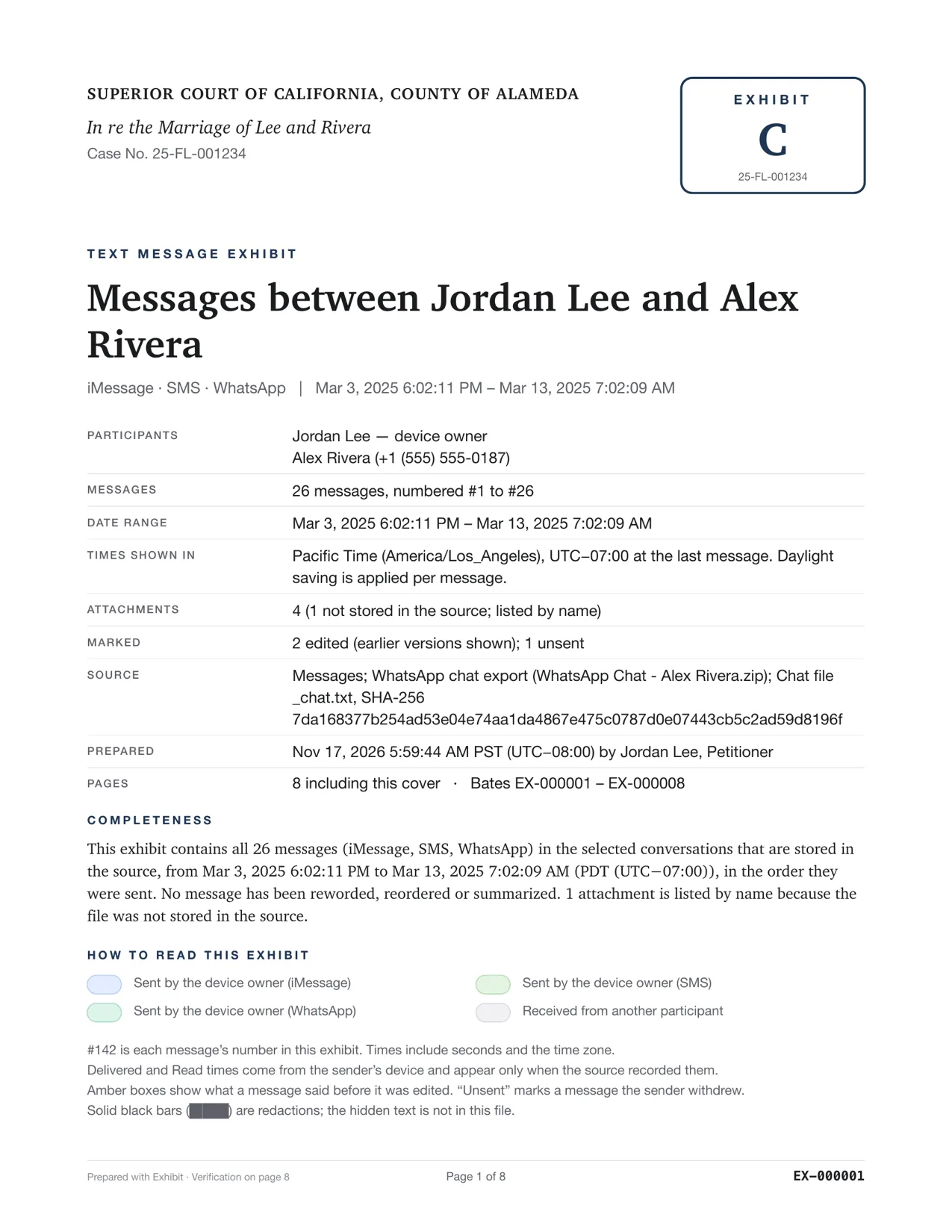
Exhibit suggests the same person across iMessage, SMS, RCS and WhatsApp in the inspector, and you choose what to add. You can add Signal, Telegram and the other supported apps the same way.
What does a merged exhibit show?
Only what every source in it can record. If you merge iMessage with a WhatsApp Export Chat file, the exhibit cannot show read times for any message, because the WhatsApp file has none. If the exhibit also had no seconds in one source, you cannot rely on exact ordering inside the same minute. This keeps the exhibit honest: the PDF never shows a field that one source lacks.
The verification page lists what was and was not available for each source. That page is the place to look when someone asks why a message has no read time.
How do I describe a merged exhibit to the court?
Say in your declaration which sources went in and why you believe they are the same person, for example that the same phone number appears in iMessage and in WhatsApp, and that you recognize the writing and the events. Point to the cover page and the verification page, which list the sources. A judge can then see that nothing was added from outside the three sources.
Keep each source as its own export too. If a read time matters, the single-source exhibit shows it and the merged one does not.
If read times, edits or exact seconds matter to your point, make a separate exhibit from the richer source, such as Messages on this Mac, and file both. Not legal advice. A lawyer or the court clerk can tell you what your court expects.
How is the order decided?
Messages are sorted by their recorded time, shown with the time zone. Messages sent in the same minute from a source without seconds may not be in the exact order they were sent. The verification page notes the time precision of each source, so the reader can see it.
What should I read next?
Start with exporting a WhatsApp chat to choose the best WhatsApp source. Then see Bates numbering so every page of the merged PDF can be cited, and authenticating text messages for how to support a mixed exhibit.
Questions
Will the same message appear twice?
Not from the same app. Different apps are different messages. If you sent the same words by iMessage and by WhatsApp, both appear, each labeled with its source.
Can I merge two different people?
Exhibit suggests merges for the same person, and you choose what to add. Add only conversations that belong in the same story, and say in your declaration how you know they are the same person.