 Exhibit
How do I print iMessages with timestamps?
Messages shows a time only at the start of each block of messages, so screenshots and printouts from the app leave most messages without a time; on the iPhone, individual times appear only while you swipe left. To print every message with its own date and time, export the conversation with Exhibit on a Mac and print the PDF from Preview.
Updated November 18, 2026 · Not legal advice
Why times go missing
The Messages app groups messages and shows a timestamp when there's a gap. Messages sent close together share one heading. On an iPhone, swiping left reveals each message's time, but only while you hold it, so a screenshot can't capture times for a whole screen.
Exhibit for Mac turns the conversation into a PDF you can file: exact times, read receipts, edits, Bates numbers. $19.99 once, no subscription, 7-day refund.
Print every message with its time
- On a Mac, open Exhibit and pick the conversation, from Messages on the Mac or from an iPhone backup Exhibit makes.
- Set the Range and click Create Exhibit.
- Each message in the PDF has its date, time and time zone, to the second, plus delivered and read times when Messages recorded them.
- Open the PDF in Preview and choose File, Print.
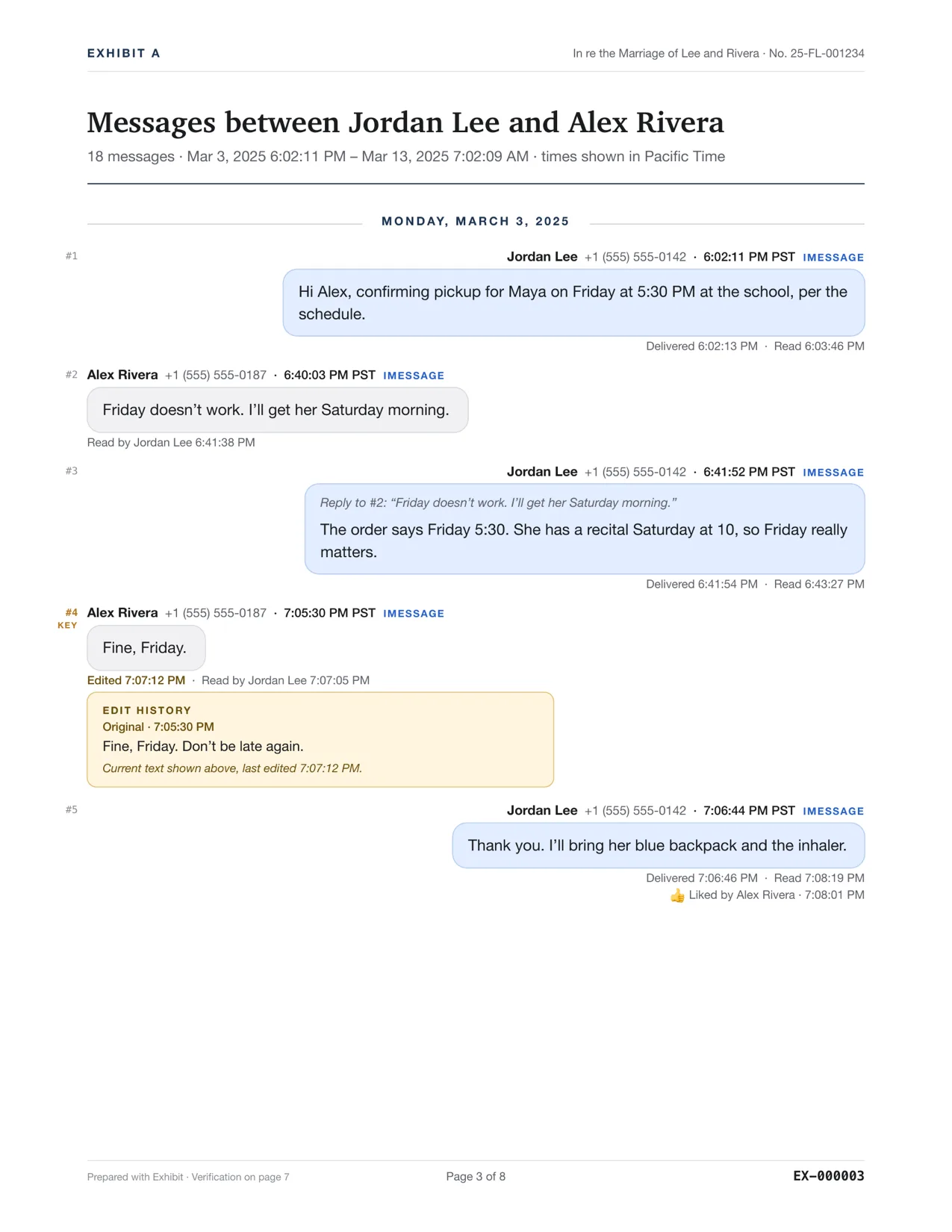
For court, Exhibit also adds page and Bates numbers and a verification page. See printing text messages for court.
Questions
Which time zone is shown?
Every time shows its time zone, so a reader in another state can tell exactly when a message was sent.
Can I show read receipts too?
Yes, for iMessage when the other person had read receipts on. See [read receipts as evidence](/read-receipts-as-evidence).