 Exhibit
How do I export iMessages without iTunes?
On a Mac you don't need iTunes or Finder: plug the iPhone in, and Exhibit makes the local backup itself with the backup service built into macOS, then reads the messages from it. If Messages in iCloud already syncs to the Mac, you don't need a backup at all, because Exhibit reads Messages on the Mac directly. Either way, you pick a conversation and save it as one PDF.
Updated November 18, 2026 · Not legal advice
Option 1: the iPhone, plugged in
- Connect the iPhone to the Mac with a cable and tap Trust on the phone.
- In Exhibit, choose the iPhone and start the backup. It is the same full backup Finder makes, saved in the same place, so Finder sees it too.
- If the iPhone has Encrypt local backup turned on, the backup is encrypted with that password, and Exhibit asks for it to read the messages.
- Pick the conversation, set the Range and click Create Exhibit.
If macOS's backup service isn't available, Exhibit says so and tells you how to back up in Finder, then opens that backup.
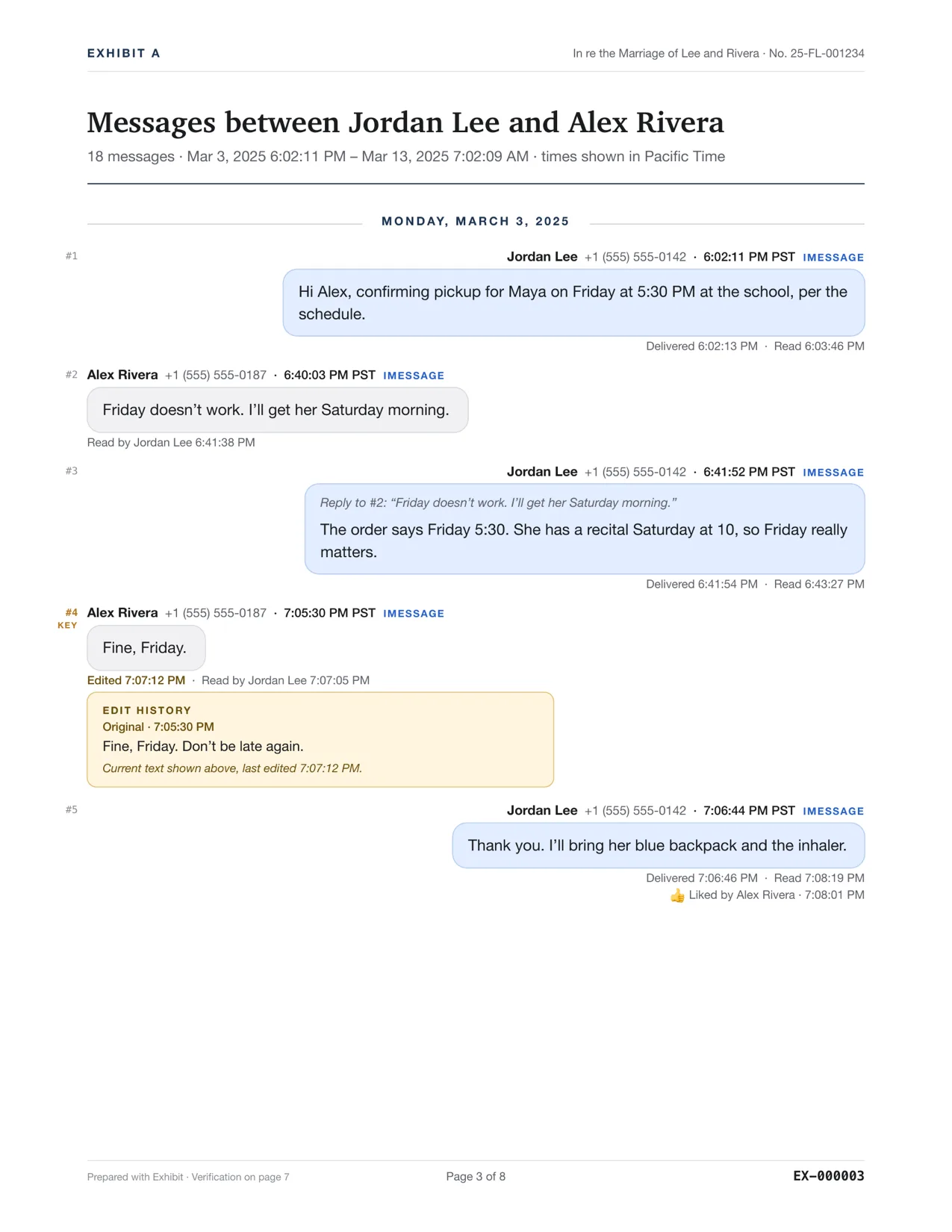
Exhibit for Mac turns the conversation into a PDF you can file: exact times, read receipts, edits, Bates numbers. $19.99 once, no subscription, 7-day refund.
Option 2: Messages in iCloud
If your Mac's Messages app already has the conversation, there's nothing to back up. Exhibit reads it from the Mac after you grant Full Disk Access.
Option 3: a backup you already have
Exhibit lists the backups Finder made on this Mac, and you can choose a backup folder elsewhere, for example on an external drive. Backups made before iOS 10 aren't supported.
Compared with iMazing, TouchCopy and iExplorer, Exhibit is $19.99 once rather than a subscription. See the best apps to export iPhone messages on a Mac.
Questions
Does Exhibit work on Windows?
No. Exhibit is a Mac app, macOS 14 or later.
Does Exhibit change anything on my iPhone?
No. It makes a backup and reads it. Nothing in the backup or on the phone is modified.