 Exhibit
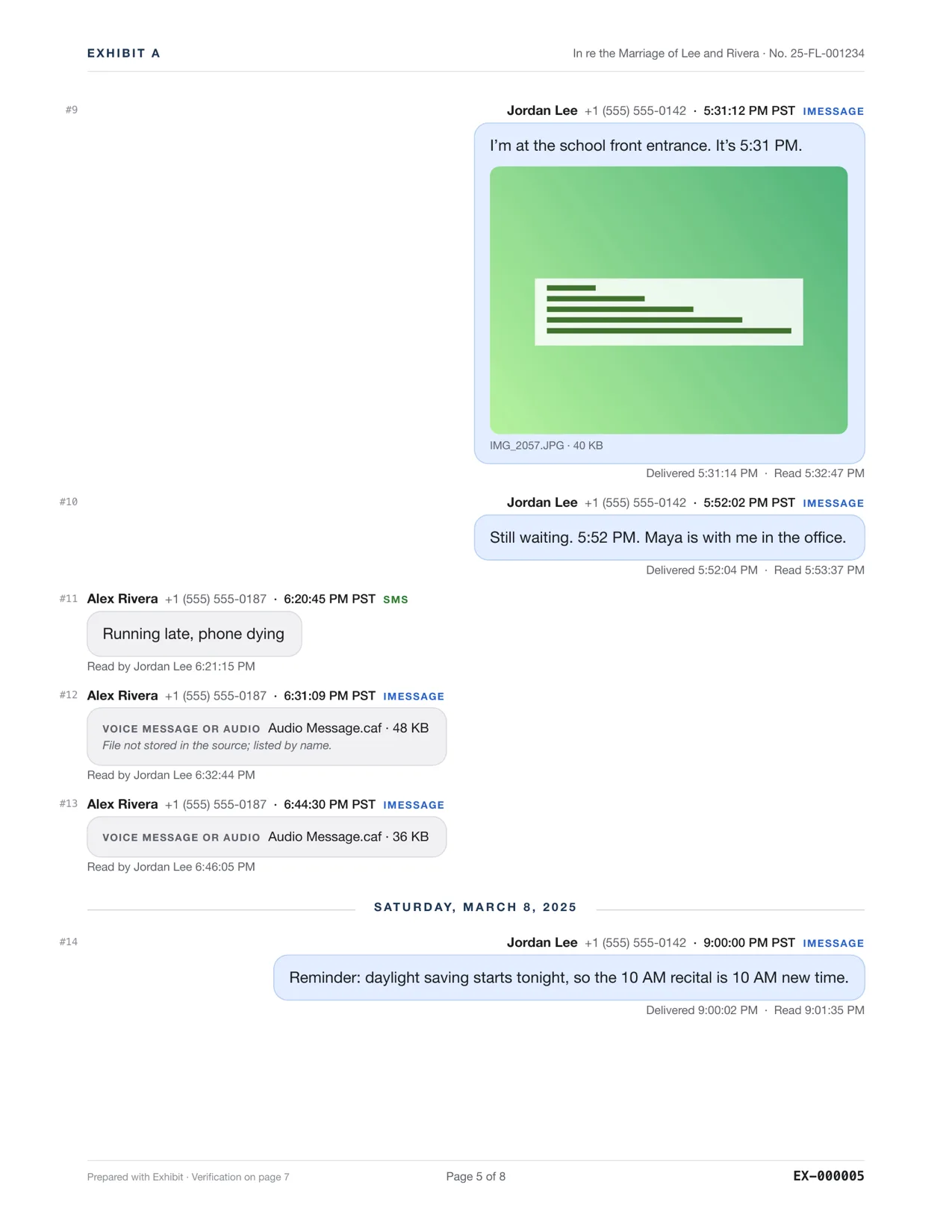
How do I transcribe voice messages for court?
Exhibit transcribes voice messages on your Mac with Apple's on-device speech recognition and prints the text under the message, marked as machine-made. The audio never leaves your computer. A transcript can be wrong, so keep the original audio, which the lawyer package includes, and be ready to say who is speaking.
Updated November 17, 2026 · Not legal advice
How does Exhibit transcribe a voice message?
Voice messages in Messages are audio files attached to the conversation. When you create an exhibit, Exhibit uses Apple's speech recognition on your Mac to turn each one into text. It runs on the device, so the audio is not uploaded. On iOS 17 and later, Messages may already hold a transcript, and Exhibit uses it when it is there. The PDF labels the text machine-made, so nobody mistakes it for a person's typing.
How do I include voice messages?
- Open Exhibit and pick the conversation. Use Messages on this Mac, or an iPhone backup if the audio is not on the Mac.
- Set a Range that covers the voice messages.
- Under Show, make sure attachments and voice messages are included.
- Click Create Exhibit and open the PDF tab. Find the voice message. The text appears under it with a label saying it is a machine-made transcript.
- Read the transcript while you listen to the audio. Note any errors for your declaration.
- Enter your license key in Settings → License, then export the lawyer package if you want the audio files with the PDF.
How accurate is the transcript?
Speech recognition makes mistakes, especially with background noise, accents, names and short words. A missing word like not can reverse a sentence. That is why Exhibit labels the text, and why the audio is the evidence. The transcript helps the reader find the part that matters.
How long can a voice message be?
Exhibit transcribes what is in the attachment. A long message takes longer to process, and a very quiet or noisy one may come back with gaps. Listen to anything that matters, and note the minute and second where the key words are, so you can point the judge to it.
If a message could not be transcribed, the PDF still lists the audio file as an attachment, and the lawyer package still carries the original.
Do not file a transcript as if it were exactly what was said. Tell the court that it is machine-made, check it against the audio yourself, and correct errors in your declaration. Courts differ on whether a transcript or the audio is the exhibit, so ask the clerk or a lawyer.
How do I show who is speaking?
A voice message comes from a number or contact, but that does not prove who spoke. A witness who is familiar with the voice can identify it. Federal Rule of Evidence 901(b)(5) covers that kind of identification, and 901(b)(1) covers a witness with knowledge more broadly. Say how you know the voice, for example that you have spoken to Alex Rivera by phone for years. See authenticating text messages.
Where do the audio files go?
The lawyer package holds the PDF, a spreadsheet of the messages, the original attachments including voice messages, and a hash manifest. Each attachment is matched to its message in the spreadsheet. A password option protects the PDF with AES-256. If a file was never stored on your device, the PDF lists it as missing by name and size.
What if the voice message is on WhatsApp?
WhatsApp voice notes come as audio attachments in a WhatsApp export that includes media, and from WhatsApp's own database. Check exporting WhatsApp for court to choose the source that keeps them.
Questions
Does the audio get sent to Apple or to Exhibit?
Exhibit uses Apple's on-device speech recognition, so the audio stays on your Mac. Exhibit has no server that receives your messages.
Can I edit the transcript?
Do not change the machine-made text in the exhibit. Note corrections in a declaration or a cover note, so the court sees both the output and what you say the audio says.